Did you know that over 90% of UK consumers research businesses online before making a purchase? In 2026, a strong digital presence is no longer optional. Many organisations struggle with creating website for business that truly delivers results, often facing confusing choices and evolving technology.
A well-crafted website can boost visibility, attract more customers, and build trust in your brand. Imagine your business standing out online, capturing leads, and driving growth every day.
This guide will walk you through each step, from setting clear goals to ongoing optimisation, ensuring your business succeeds in the digital landscape ahead.
Step 1: Define Your Website’s Purpose and Goals
Defining the purpose and goals is the crucial first step when creating website for business success in 2026. Without clear direction, even the best-looking site can struggle to deliver results. Start with a solid foundation by setting intentions that guide every decision moving forward.

Identify Your Core Objectives
Begin by clarifying the main aim of your website. Are you building an online store to drive product sales, a portfolio to showcase work, or a hub for lead generation? Each objective comes with different requirements for design and features.
For instance, an e-commerce site needs secure payment integration, while a local trades business might prioritise contact forms and service descriptions. Clear goals not only inform layout and structure, but also improve customer engagement. In fact, over 70% of small businesses report higher engagement when they set specific website goals.
When creating website for business growth, align your goals with your wider business strategy. For further guidance on this alignment, review these Business Site Design Best Practices.
| Website Type | Primary Goal | Example Features |
|---|---|---|
| E-commerce | Product sales | Shopping cart, checkout |
| Lead generation | Enquiries or signups | Forms, CTAs |
| Service showcase | Brand awareness, bookings | Portfolios, booking tools |
Understand Your Target Audience
Knowing your audience is essential for creating website for business that truly connects. Start by building detailed customer personas. Think about demographics, preferences, and online habits.
Use market research and analytics to pinpoint what your audience needs. For example, a local café’s customers might be looking for quick access to menus and directions on mobile devices. Tailoring your website to these behaviours ensures visitors find what they need quickly.
Consider these questions:
- Who are your ideal customers?
- What problems do they want solved?
- Which devices do they use most?
Understanding your audience leads to more effective design and messaging.
Map the Customer Journey
Mapping the customer journey is a key part of creating website for business that converts. Outline the steps users take, from landing on your homepage to making a purchase or contacting you.
Visual tools like GlooMaps help you design intuitive navigation paths. Identify the main actions you want users to complete, such as browsing products, reading testimonials, or submitting a form.
A simple, logical path keeps users engaged and reduces drop-off. Intuitive navigation is vital for retention, as visitors are more likely to stay and return if they can easily find what they need.
Set Measurable KPIs
To track the effectiveness of creating website for business, set clear, measurable KPIs. These could include website traffic, conversion rates, bounce rates, or average session duration.
Use analytics platforms such as Google Analytics 4 to monitor progress. For a consulting firm, a key KPI might be the number of completed contact forms each month. For an e-commerce brand, it could be total sales or average order value.
Establishing these metrics early allows you to assess performance and make data-driven improvements over time.
Plan for Scalability and Future Needs
When creating website for business, always think ahead. Your initial needs may be modest, but your website should be ready to grow with your business.
Perhaps you start with a simple brochure site but plan to add e-commerce or booking features later. Choose platforms and structures that allow easy expansion. This forward-thinking approach means you won’t have to rebuild from scratch as your business evolves.
By setting a scalable foundation, your website will support long-term growth and adapt to changing goals.
Step 2: Choose the Right Platform and Design Approach
Selecting the right approach for creating website for business is a pivotal decision that shapes your online presence for years to come. The platform and design choices you make now will directly impact usability, scalability, and how your brand is perceived by customers.

Evaluate DIY vs. Professional Web Design
When creating website for business, your first major decision is whether to use a DIY website builder or hire a professional web designer. DIY platforms like Wix and WordPress.com are accessible, affordable, and ideal for those with limited technical skills. They offer drag-and-drop interfaces, templates, and built-in features that help you get online quickly.
However, DIY solutions come with limitations. Customisation options may be restricted, and unique branding can be difficult to achieve. On the other hand, hiring a professional design agency or freelancer often means a higher upfront investment but results in a tailored, unique site that aligns closely with your business goals.
For example, an e-commerce brand with complex requirements will benefit from a bespoke approach, ensuring the site’s functionality and appearance stand out in a crowded market. Consider your budget, timeline, and the long-term needs of your business before making this foundational choice.
Assess Popular Website Platforms
The platform you choose for creating website for business should align with your goals, technical ability, and future plans. There are several widely used platforms, each with distinct strengths:
| Platform | Strengths | Best For |
|---|---|---|
| WordPress | Highly customisable, scalable, SEO-friendly | Blogs, SMEs, content-rich sites |
| Shopify | E-commerce focus, ease of use, secure | Online shops |
| Squarespace | Elegant design, user-friendly | Portfolios, small businesses |
| Joomla | Flexible, multilingual support | Complex, large sites |
WordPress deserves special mention, as WordPress powers 43.4% of the web, making it the most popular platform globally. Its open-source nature and vast ecosystem of plugins and themes offer unmatched flexibility for creating website for business, whether you are launching a simple brochure site or a robust e-commerce solution.
Importance of Responsive and Accessible Design
With the majority of users browsing on mobile devices, responsive design is non-negotiable when creating website for business. Your site must adapt seamlessly to all screen sizes, ensuring content is legible and navigation is intuitive on smartphones and tablets.
Accessibility is equally crucial. Adhering to WCAG standards allows everyone, including people with disabilities, to access your site. Features such as high-contrast text, alternative image descriptions, and keyboard navigation are essential. Prioritising these elements not only broadens your audience but also reflects positively on your brand’s values and inclusivity.
User Experience (UX) and Branding Consistency
An effective user experience is at the heart of creating website for business. Consistent branding, from logo usage to colour schemes, builds trust and recognition. Your website’s layout should be logical, with clear calls to action and straightforward navigation.
UX best practices include fast loading times, minimal clutter, and a structure that guides visitors towards their goals. For example, a sticky navigation bar helps users quickly access key pages. Make sure your branding is cohesive across both digital and offline materials, reinforcing your business identity at every touchpoint.
Integrate Essential Features
The features you include when creating website for business should directly support your objectives and enhance user experience. Standard essentials are contact forms, social media feeds, and clear calls to action. For service-based businesses, online booking systems streamline appointments, while e-commerce sites require secure payment gateways and customer reviews.
Consider future needs as well. Choose platforms and plugins that allow for easy expansion, such as adding a blog or integrating advanced analytics. By planning ahead, you ensure your website can evolve as your business grows, supporting continued success in the digital landscape.
Step 3: Secure Your Domain Name and Hosting
Securing the right domain name and hosting is a pivotal step when creating website for business. A memorable domain and reliable hosting lay the foundation for your online presence, affecting everything from brand perception to website performance. Each decision you make here impacts how customers find and interact with your business online. Let us walk through the essentials, so you can make informed choices that support your growth now and in the future.

Selecting a Memorable Domain Name
Choosing a domain name is a crucial first impression for anyone creating website for business. You want something that is memorable, brand-aligned, and easy to share. Keep your domain under 15 characters, avoid abbreviations that might confuse customers, and stick to relevant TLDs like .com or .co.uk for credibility.
Consider using domain name generators such as Nameboy or DomainWheel if your preferred name is taken. For example, a local cleaning service could benefit from a straightforward domain like leicestercleaners.co.uk, which is clear, local, and trustworthy.
Tips for selecting your domain:
- Keep it short and simple
- Make it easy to spell and pronounce
- Use keywords if relevant, but avoid stuffing
- Avoid numbers or special characters
A great domain name helps customers remember and return, supporting the overall goals of creating website for business.
Registering Your Domain
Once you have chosen your domain, it is time to secure it. Begin by checking availability with reputable registrars. Register your domain for multiple years if possible, as this can provide cost stability and signal long-term intent to search engines.
When registering, consider add-ons such as WHOIS privacy to protect your personal information, SSL certificates for security, and DDoS protection for peace of mind. Statistics show that .com and .co.uk domains remain the most trusted TLDs among UK consumers, making them ideal choices for credibility.
The registration process typically involves:
- Searching for domain availability
- Selecting your registration period (1–5 years)
- Adding desired features (privacy, SSL)
- Completing payment and confirming ownership
Taking these steps ensures your domain is secure, professional, and ready for the next phase of creating website for business.
Choosing the Right Hosting Provider
Your hosting provider affects site speed, reliability, and scalability. For those creating website for business, compare shared hosting (affordable but with limited resources) against dedicated hosting (higher performance and control). UK-based servers are especially important for local SEO and fast loading times.
Look for hosting packages that include essentials like business email, automatic backups, and robust security features. E-commerce sites, in particular, often require dedicated hosting for optimal performance and data protection.
| Hosting Type | Cost | Performance | Scalability | Best For |
|---|---|---|---|---|
| Shared | Low | Basic | Limited | Startups, small websites |
| VPS | Medium | Good | Moderate | Growing businesses |
| Dedicated | High | Excellent | High | High-traffic, large sites |
For further insights into essential website features, see the 10 Qualities of a Great Website.
Choosing the right hosting ensures your site is reliable and supports the long-term objectives of creating website for business.
Evaluating Registrar and Hosting Support
Reliable customer support is vital for businesses that rely on their online presence. When creating website for business, prioritise registrars and hosting providers offering 24/7 technical assistance and responsive customer service.
Check provider reputations on platforms like Trustpilot. This helps you gauge reliability before committing. For businesses that may need urgent updates or troubleshooting, responsive support can prevent downtime and lost opportunities.
What to look for:
- Round-the-clock support via chat, phone, or email
- Transparent service level agreements (SLAs)
- Positive user reviews and testimonials
Making support a priority means you are never left stranded when your website needs attention, reinforcing the stability of your digital presence.
Planning for Future Growth
Your website needs may change as your business expands. When creating website for business, ensure your chosen hosting provider allows easy upgrades—such as moving from shared hosting to VPS or dedicated servers.
For example, you might start with a simple brochure site but plan to add an online store or booking system as your business grows. Flexible hosting ensures your site can handle increased traffic, new features, and evolving customer needs without disruption.
Key considerations for scalability:
- Upgrade paths and pricing
- Resource limits and add-ons
- Migration support
By planning ahead, you future-proof your investment and keep your website aligned with your business goals.
Step 4: Structure, Design, and Build Your Website
A successful approach to creating website for business starts with a focus on structure, design, and usability. The way your website is organised and presented shapes first impressions, affects navigation, and directly impacts business results. Let us explore the essential steps to ensure your business website stands out, delivers value, and supports growth.
Plan Your Website Structure and Sitemap
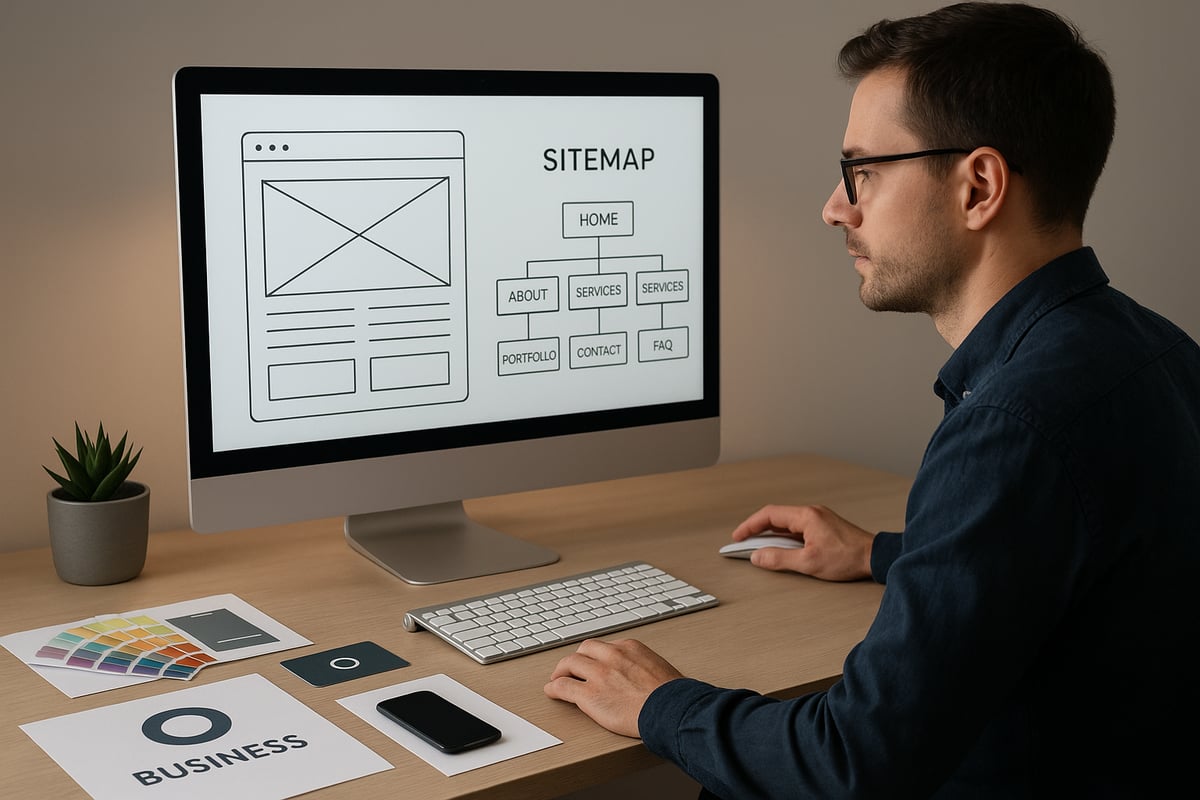
The foundation of creating website for business is a clear, logical structure. Start by mapping out your site's main sections. Tools like GlooMaps make it easy to visualise your sitemap, helping you see how users will move through your pages.
Key pages to consider include:
- Home: The central hub for your brand message.
- About: Share your story, mission, and team.
- Services or Products: Detail what you offer.
- Contact: Make it easy for visitors to reach you.
- FAQs: Address common questions up front.
For e-commerce, add Shop, Cart, Checkout, and Account pages. Service businesses might include booking forms or enquiry pages. A well-planned structure guides user flow and supports your goals, making your website intuitive and scalable.
Craft a Visually Appealing Design
First impressions matter. When creating website for business, your visual design often determines whether visitors stay or leave. In fact, 94% of first impressions are design-related, highlighting the importance of thoughtful aesthetics.
Analyse your competitors for inspiration, but aim for originality. Use a minimalist layout, with clean lines and plenty of white space. Select a single, readable font and avoid overcrowding pages. Incorporate your brand colours and original imagery, as authentic visuals build trust and recognition. Avoid overusing stock photos; instead, showcase your products, team, or location for a personal touch.
Focus on User Experience (UX)
User experience is central to creating website for business that converts visitors into loyal customers. Prioritise intuitive navigation, ensuring menus are clear and easy to find. Place calls to action (CTAs) prominently, such as "Contact Us" or "Shop Now," to guide users towards your goals.
Consistency across devices and browsers is key. Test your layouts to ensure they adapt smoothly, providing a seamless journey from landing page to final action. Consider features like sticky navigation bars for quick access to essential pages, and always keep the user’s needs at the forefront of your design decisions.
Implement Essential Website Features
A well-equipped site is a cornerstone in creating website for business. Identify which features matter most for your industry and audience.
Essential features include:
- Contact forms for easy communication
- Social media integration to boost engagement
- Interactive elements like sliders or galleries
For e-commerce, secure payment gateways, product filters, and customer reviews are vital. Service businesses benefit from booking systems and enquiry forms. Prioritise functionality that supports your objectives, making the user journey smooth and effective.
Mobile-First and Fast-Loading Design
With mobile devices now accounting for the majority of web traffic, mobile-first design is no longer optional when creating website for business. Ensure your site adapts beautifully to smartphones and tablets.
Optimise performance by compressing images, using browser caching, and writing lightweight code. Fast-loading pages reduce bounce rates and keep users engaged. Regularly test your site on different devices to catch any issues early. A mobile-friendly, quick-loading website is essential for both user satisfaction and search engine rankings.
Accessibility and Compliance
Accessibility is a legal and ethical requirement in creating website for business. Adhere to WCAG standards to make your site usable for everyone, including those with disabilities.
Key practices include:
- Providing text alternatives for all images
- Ensuring keyboard navigation works throughout the site
- Using high-contrast colour schemes for readability
Test your website with accessibility tools to identify potential barriers. A compliant site not only broadens your audience but also demonstrates your commitment to inclusivity and professionalism.
Branding and Consistency
Branding brings cohesion and trust to the process of creating website for business. Use your existing logo, colour palette, and messaging to reinforce your identity. Consistency across pages, from typography to imagery, builds recognition and reliability.
For local businesses, showcase trust signals such as customer testimonials, accreditation badges, or case studies. Consistent branding helps visitors feel confident in your expertise and encourages repeat visits.
By approaching structure, design, and build with a strategic mindset, your website will not only look impressive but also perform effectively for your business objectives.
Step 5: Populate with Engaging and Valuable Content
Populating your site with high-quality content is a pivotal step in creating website for business success. Content shapes first impressions, drives engagement, and ultimately converts visitors into customers. Each page should serve a clear purpose while reflecting your brand’s personality and values.
Develop Core Pages and Content
Begin by building the essential pages every business website needs. These include:
- Home page: Present your core offer and guide visitors to key areas.
- About us: Share your story, team, and mission to build trust.
- Services/Products: Detail your offerings, prices, and benefits.
- Contact: Make it easy for visitors to reach you with clear forms and visible details.
- FAQs: Address common questions to reduce barriers and boost confidence.
When creating website for business, tailor each page to your audience’s expectations and needs.
Content Planning and Strategy
A successful website aligns content with broader marketing and SEO goals. Start with keyword research to uncover the phrases your customers are searching for. Structure your content to target these keywords and support your business objectives.
Build a content calendar to keep updates consistent and plan for seasonal campaigns. For more in-depth guidance on content strategy and practical steps, review The Ultimate Web Design Guide for Tradespeople, which offers actionable advice suitable for any sector.
Create Engaging, Action-Oriented Copy
Effective copywriting is key to creating website for business that converts. Use clear, persuasive language and always include a call to action, such as “Get a free quote” or “Book your appointment today.”
Keep your sentences concise and focused. Highlight benefits rather than just features, and make it easy for users to take the next step.
Incorporate Visual and Multimedia Elements
Modern audiences expect more than just text. Add high-quality photos, videos, and infographics to make your site memorable and engaging. Visual content helps explain complex ideas and showcases products or services in action.
With **Mobile devices account for 74% of website visits**, ensure all visuals are optimised for fast loading and mobile viewing. This is vital when creating website for business that appeals to today’s users.
Leverage Evergreen and Resource Content
Beyond core pages, consider adding blogs, guides, or resource sections. Evergreen content, like “How to choose the right service” or industry insights, attracts repeat visitors and improves SEO.
When creating website for business, these resources position you as an expert and provide ongoing value to your audience.
Social Proof and Trust Signals
Build credibility with testimonials, customer reviews, and professional certifications. Display Trustpilot badges or feature short case studies to reassure potential clients.
A table can help summarise trust signals:
| Trust Signal | Example |
|---|---|
| Customer Review | “Fantastic service, highly recommend!” |
| Certification Badge | Google Partner, ISO Certified |
| Case Study | 30% increase in sales in 6 months |
Integrating these elements is a must when creating website for business that stands out from the competition.
Ensure Content is Up-to-Date and Accurate
Regularly review your website to keep information current. Schedule content audits to update seasonal offers or reflect new services. Outdated content can harm your reputation and reduce trust.
Creating website for business is not a one-off task. It requires ongoing attention to ensure your site remains relevant, accurate, and engaging for your audience.
Step 6: Optimise, Launch, and Maintain Your Website
Launching and maintaining a successful business website is not a one-off task. The process of creating website for business continues well beyond the initial build. To ensure your site delivers consistent value, you must focus on optimisation, quality assurance, and ongoing improvement. Here is a step-by-step approach to guide you through this crucial phase.
Search Engine Optimisation (SEO) Fundamentals
To maximise visibility, search engine optimisation is essential when creating website for business. Focus on on-page SEO, including meta titles, meta descriptions, and well-structured headings. Use descriptive image alt tags and ensure your content is rich in relevant keywords without overstuffing.
Technical SEO is equally important. Create XML sitemaps, configure your robots.txt file, and secure your site with SSL. Make sure your website is mobile-friendly, as Google prioritises mobile-optimised sites in search rankings. For local businesses, leverage local SEO techniques by including accurate business details and location-specific keywords.
Performance and Speed Optimisation
Website speed is a key factor in user experience and search rankings. When creating website for business, compress images and implement browser caching to improve load times. Minimise the use of heavy scripts and plugins that can slow down your site.
Use tools like Google PageSpeed Insights and GTmetrix to identify bottlenecks and monitor performance. Remember, sites loading in under three seconds typically see significantly lower bounce rates. Fast-loading websites keep visitors engaged and improve your chances of converting them into customers.
Pre-Launch Testing and Quality Assurance
Before launching, thoroughly test your website across various devices and browsers to ensure consistent performance. Creating website for business requires checking all forms, links, and interactive features for proper functionality.
Develop a comprehensive checklist that includes reviewing navigation, verifying content accuracy, and ensuring all e-commerce flows work smoothly. Test your checkout process, booking systems, and contact forms. Quality assurance at this stage helps prevent user frustration and builds trust from the outset.
Launch Strategy and Promotion
A strong launch strategy is vital for creating website for business that gets noticed. Announce your launch through email newsletters, social media, and press releases. Connect your site to Google Analytics and Search Console to start tracking visitor behaviour from day one.
Consider offering launch promotions, competitions, or special offers to attract initial traffic. Encourage existing customers and partners to share your new site. A well-coordinated launch ensures your website reaches your target audience quickly and effectively.
Ongoing Maintenance and Security
Maintaining your site is as important as its initial launch. When creating website for business, schedule regular updates for plugins, themes, and core software to protect against vulnerabilities. Set up automated backups and monitor uptime to ensure business continuity.
Implement robust security measures, including SSL certificates and active monitoring for suspicious activity. Develop a plan for emergency restoration in case of downtime or data loss. Reliable maintenance routines keep your website secure, stable, and trustworthy.
Collecting and Acting on User Feedback
Continuous improvement is key to long-term success. Use feedback forms, surveys, and analytics to gather insights on how users interact with your site. When creating website for business, analyse this data to identify pain points and opportunities for enhancement.
Adjust navigation, update content, and introduce new features based on real user behaviour. Regularly review your site’s performance and consider whether it meets evolving business needs. If you notice signs that your website is outdated or underperforming, consult resources like 10 Tell-Tale Signs You Need to Get a New Website for guidance on when to refresh or rebuild.
As you take these essential steps towards building a standout website for your business in 2026, remember that having the right guidance can make all the difference. Whether you need help refining your goals, choosing the ideal platform, or ensuring your site is optimised for both users and search engines, we’re here to support you every step of the way. If you’d like to discuss your ideas or want expert advice on bringing your vision to life, don’t hesitate to Get in touch—let’s create a powerful and effective online presence for your business together.